Already on the device
Use the customer, address and job information already available on your phone during the visit. Save your work in the app.
WORKFLOW
Use the job records already on your phone when reception drops. Reconnect for synchronization, maps, accounting and other online services.
Android on Google Play. iPhone and iPad access through TestFlight.
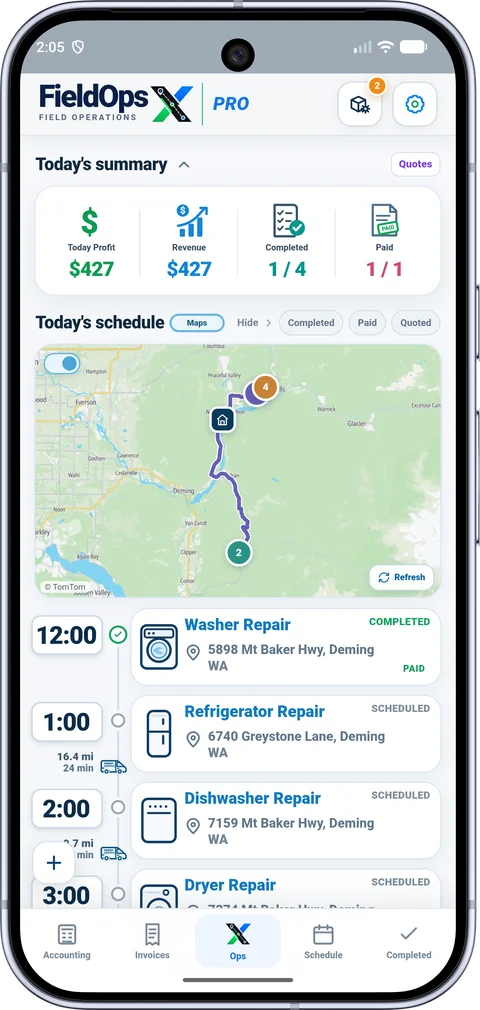
The FieldOpsX Pro mobile app supports field work with records already available on the device. Open the app and finish syncing before leaving coverage. You can work with the job information on your phone and save supported changes, then reconnect for synchronization. The server-backed browser workspace requires an internet connection.
Use the customer, address and job information already available on your phone during the visit. Save your work in the app.
Signing in on a new device, downloading missing records, retrieving online maps, accounting sync and payment-provider actions need connectivity.
Use your computer or tablet browser for a larger view of the same business. The server workspace needs an active connection.
Before driving to the visit, open the app and check that the customer and work details are available. At the appointment, use those records and save your changes. Once you have a connection again, allow synchronization to complete and review any pending accounting or provider action. A saved local change is different from confirmation by an external service.
Do not rely on offline provider actions. Square payment-link and accounting workflows need the relevant connection and provider confirmation. See Square payments.
No. Account sign-in and downloading your business records require connectivity.
Yes. Sign in to the same FieldOpsX business account. Use the phone in the field and the connected browser workspace when needed. See supported devices.
PROFESSIONALLY BUILT FOR OWNER-OPERATORS
Choose the workflow that fits your business, then try it with your own working day.