Customer and job details
Keep service addresses, visit notes and the work description with the FieldOpsX job. Use the connected company’s customer and item information.
Service history →QUICKBOOKS ONLINE
Keep service jobs in FieldOpsX Pro and connect customers, invoices, payments and job expenses to your QuickBooks Online company.
Android on Google Play. iPhone and iPad access through TestFlight.
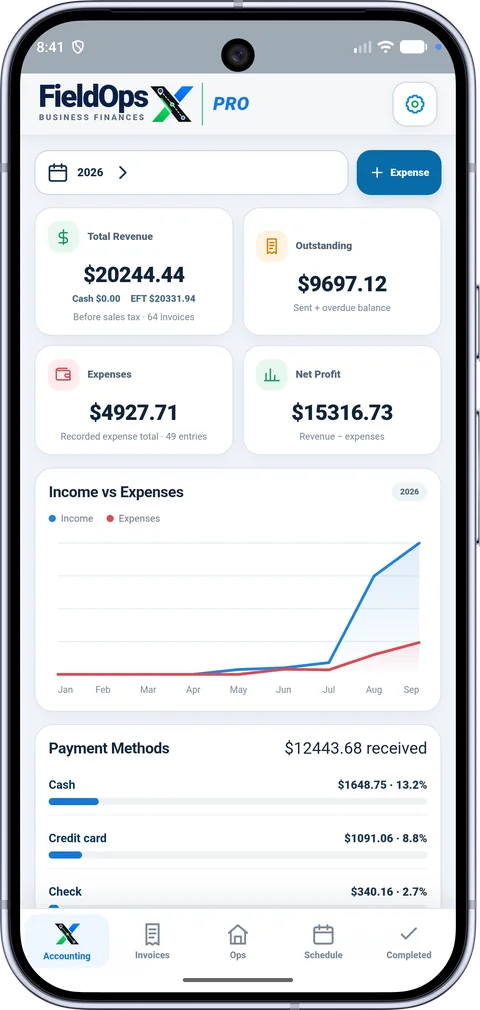
Yes. Connect a QuickBooks Online company to FieldOpsX Pro to work with customer records, invoices, payments and job expenses. Keep appointment, repair and customer context in FieldOpsX Pro while using your selected QuickBooks company for accounting. QuickBooks Online is a separate subscription.
Keep service addresses, visit notes and the work description with the FieldOpsX job. Use the connected company’s customer and item information.
Service history →Review invoice lines, totals and tax settings, then follow the sync result and payment record.
Invoicing →Attach receipts to job purchases and choose the expense category and paid-from account used by your business.
Job expenses →Choose the job, save the supplier receipt, amount and receipt taxes.
Select the QuickBooks Online category and paid-from account available for the expense workflow.
Check the QuickBooks Online expense status and, where supported, the separate receipt-upload status. Keep the customer invoice and payment as their own records.
Create the appointment and retain the customer and repair details in FieldOpsX Pro. After the visit, prepare the invoice from the job and review it before syncing. If you purchased a part, record the supplier receipt as a separate job expense. Check the invoice, payment and expense statuses to confirm the corresponding accounting actions.
Open Accounting settings, connect QuickBooks Online and confirm the selected company. Choose where customer payments are deposited and which accounts are available for expense payments. Review the company’s services and tax configuration before your first synced record.
Yes. The FieldOpsX Pro subscription does not include QuickBooks Online. Your QuickBooks plan and provider requirements apply separately.
This page describes QuickBooks Online. It does not promise a QuickBooks Desktop connection.
No. Connecting does not automatically rewrite your past transactions. Supported historical imports let you view existing records. An intentional edit and sync of a supported imported invoice updates that invoice.
Yes. FieldOpsX Pro provides the job, schedule, customer, quote, invoice, parts and expense workflow. You can also review the Wave Accounting connection if you use Wave.
USD $30/month or $300/year; CAD $40/month or $400/year, before applicable taxes. See plans and the 30-day trial.
PROFESSIONALLY BUILT FOR OWNER-OPERATORS
Choose the workflow that fits your business, then try it with your own working day.