
Wave Accounting
Understand the supported connection and accounting steps.
Explore wave accountingWORKFLOW
Keep customer records, property addresses, completed jobs, photos and related documents connected in FieldOpsX Pro.
Android on Google Play. iPhone and iPad access through TestFlight.
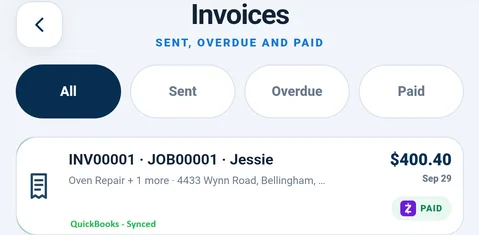
A customer or property manager may have more than one service address. Review the actual property and its visit history when deciding what information applies to today’s work.
Use completed jobs and customer records to find the job details and financial documents. Search by job, customer, phone or invoice, and review the original record before changing historical information.
Explore the integration and pricing details before choosing your setup.
Understand the supported connection and accounting steps.
Explore wave accountingSee company setup and supported workflows.
Explore quickbooks onlineReview the published plans, trial and referral program.
Explore pricingSearch the customer records when someone calls again. Review the service address, completed jobs and related documents before creating the next appointment. A repeat customer may have more than one property, so confirm the address rather than assuming the next call is for the same appliance.
A completed job gives context to its invoice, payment and job-linked purchases. Use the original record to check what work was described and what was billed. Keep useful service details in the job so the next visit does not depend on remembering an old conversation.
Customer names are only one way to recognize work. Use the job number, invoice number, phone number or service address where the relevant search supports it. Open the matching job and check the customer and property before changing a document or adding an expense.
PROFESSIONALLY BUILT FOR OWNER-OPERATORS
Choose the workflow that fits your business, then try it with your own working day.