Customers and invoices
Use the customer and work details from the job to prepare an invoice, then follow its Wave sync status.
Quotes and invoices →WAVE ACCOUNTING
Schedule the work in FieldOpsX Pro and connect the paperwork to Wave: customers, invoices, payments, job expenses and receipts.
Android on Google Play. iPhone and iPad access through TestFlight.
Yes. FieldOpsX Pro connects a field-service job workflow to Wave Accounting. Schedule the visit, keep the customer and repair details with the job, then work with customer records, invoices, payments and job expenses through the Wave connection. Wave remains your accounting service; FieldOpsX Pro handles the service visit and its paperwork.
Use the customer and work details from the job to prepare an invoice, then follow its Wave sync status.
Quotes and invoices →Record a customer payment against the invoice and use your selected deposit account. Check the remaining balance and provider status.
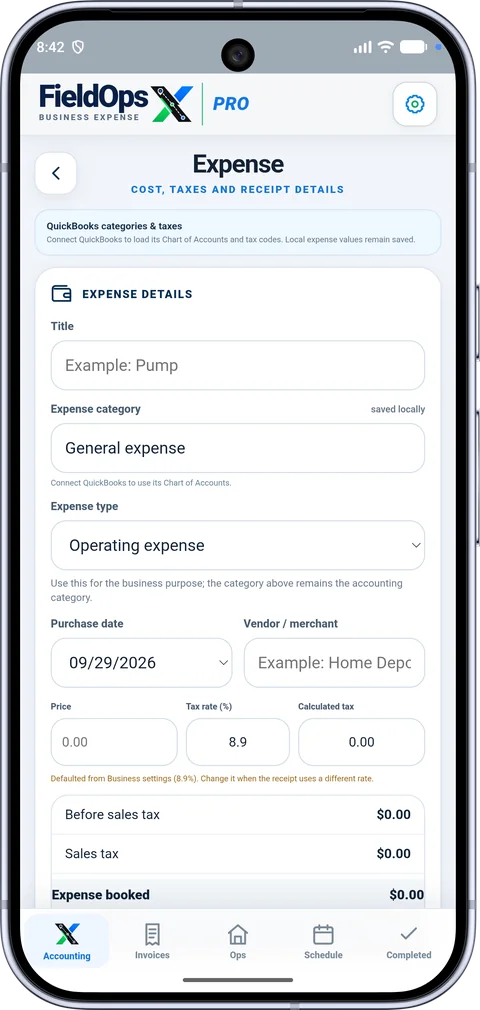
Card payment options →Record a job purchase, its receipt and tax amounts, category and account used to pay. Keep job costs separate from the customer invoice.
Job expenses →Choose the job, save the supplier receipt, amount and receipt taxes.
Select the Wave category and paid-from account available for the expense workflow.
Check the Wave expense status and, where supported, the separate receipt-upload status. Keep the customer invoice and payment as their own records.
Customer, invoice and payment workflows use the connected Wave business. Expense and receipt workflows require the supported Wave Full Access Token connection; an OAuth-only connection does not provide every expense action. Connect the business you use for bookkeeping and choose its accounts and tax settings in Accounting settings.
Book the repair and save the customer, address and reported fault. If you purchase a replacement part, add the expense to that job and attach the supplier receipt. Review the service and parts you are billing, prepare the customer invoice, and check its Wave status. When payment arrives, record it against that invoice. The supplier purchase and customer charge stay separate, with both tied to the work.
Open Accounting settings, connect Wave and select your business. Refresh the available accounting data.
Select the accounts used for customer deposits and expense payments, along with your existing tax definitions.
Save a normal job invoice or expense and review its accounting status. A pending item shows what still needs attention.
Check the named accounting connection and the records it handles, not just an integration badge. Compare with Jobber or compare with ServiceM8, with official sources and review dates.
No. FieldOpsX Pro and Wave are separate services. Review Wave’s account and connection requirements for the workflows you need.
Yes. Add a photo or PDF receipt to the expense and select its job. For Wave, review both the expense sync status and the receipt-upload status.
The mobile app supports work with data already available on the device. Contacting Wave and confirming accounting actions require an internet connection. See offline work.
USD $30/month or $300/year; CAD $40/month or $400/year, before applicable taxes. A 30-day trial is available. Review pricing.
No. FieldOpsX Pro is an independent product. Wave names and marks belong to their respective owners.
PROFESSIONALLY BUILT FOR OWNER-OPERATORS
Choose the workflow that fits your business, then try it with your own working day.