Schedule the call
Save the customer, service address and reported issue, then place the visit on your schedule.
Scheduling →APPLIANCE REPAIR
FieldOpsX Pro keeps repair calls, parts inventory, customer history, quotes, invoices and job expenses in one workflow for owner-operators.
Android on Google Play. iPhone and iPad access through TestFlight.
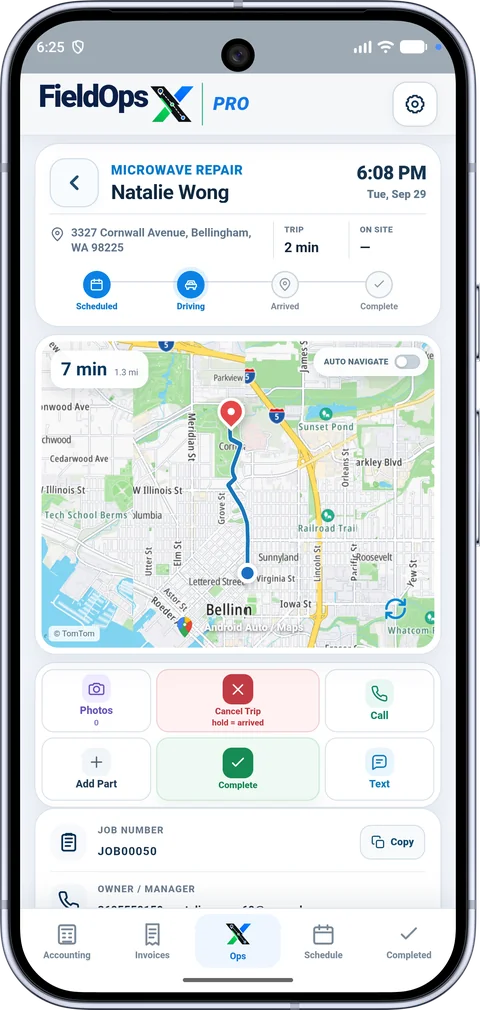
FieldOpsX Pro is appliance repair software for the technician who also runs the business. Keep bookings, customer and property history, repair notes, parts, quotes, invoices and job expenses connected. Use the mobile app on the visit and the browser workspace when you want a larger screen.
Save the customer, service address and reported issue, then place the visit on your schedule.
Scheduling →Retain job details, notes and photos so you can find the previous service when the same customer calls again.
Customer and service history →Prepare the quote or invoice from the job, review its charges and follow the payment.
Quotes and invoices →Keep part numbers, descriptions, stock quantities, minimum stock levels, purchase cost and selling price in inventory. Search for a part when adding it to a job. Low-stock ordering helps you see common parts that need replenishing; job-part orders keep purchases for a specific repair connected to that job.
A repair waiting on a part should stay connected to the original customer and work details. Use the parts ordering and receiving workflow to track what was ordered and mark it received when it arrives. Arrange the next visit from that same job instead of rebuilding the repair from messages or a second notebook.
Create a visit for a dishwasher fault. Save the customer and service details, then add your findings and photos at the appointment.
Add the needed part to the job. Track the order and receipt, then schedule the return visit with the repair details already attached.
Review the service and parts charges, send the invoice, record the payment and find the job in service history.
Connect Wave Accounting or QuickBooks Online for customer, invoice, payment and supported expense workflows. Square provides card-payment options for your invoices. Each provider has its own account and service requirements. See the integrations.
Yes. The owner-operator workflow is designed for someone who schedules the work, performs the repair and handles quotes, invoices and job costs.
Inventory stores stock quantities and minimum levels as well as part details, purchase cost and selling price. Parts ordering and receiving are part of the job workflow.
Yes. Android is available on Google Play; iPhone and iPad access is through TestFlight. Sign in to the same business account for the browser workspace. Choose your device.
Use job information already available on the phone and save supported local changes. Accounting sync, online maps and provider actions need connectivity. The browser workspace requires an internet connection. Read the offline details.
USD $30/month or $300/year; CAD $40/month or $400/year, before applicable taxes. Annual billing saves 16.7% compared with 12 monthly payments. See the 30-day trial and plans.
PROFESSIONALLY BUILT FOR OWNER-OPERATORS
Choose the workflow that fits your business, then try it with your own working day.